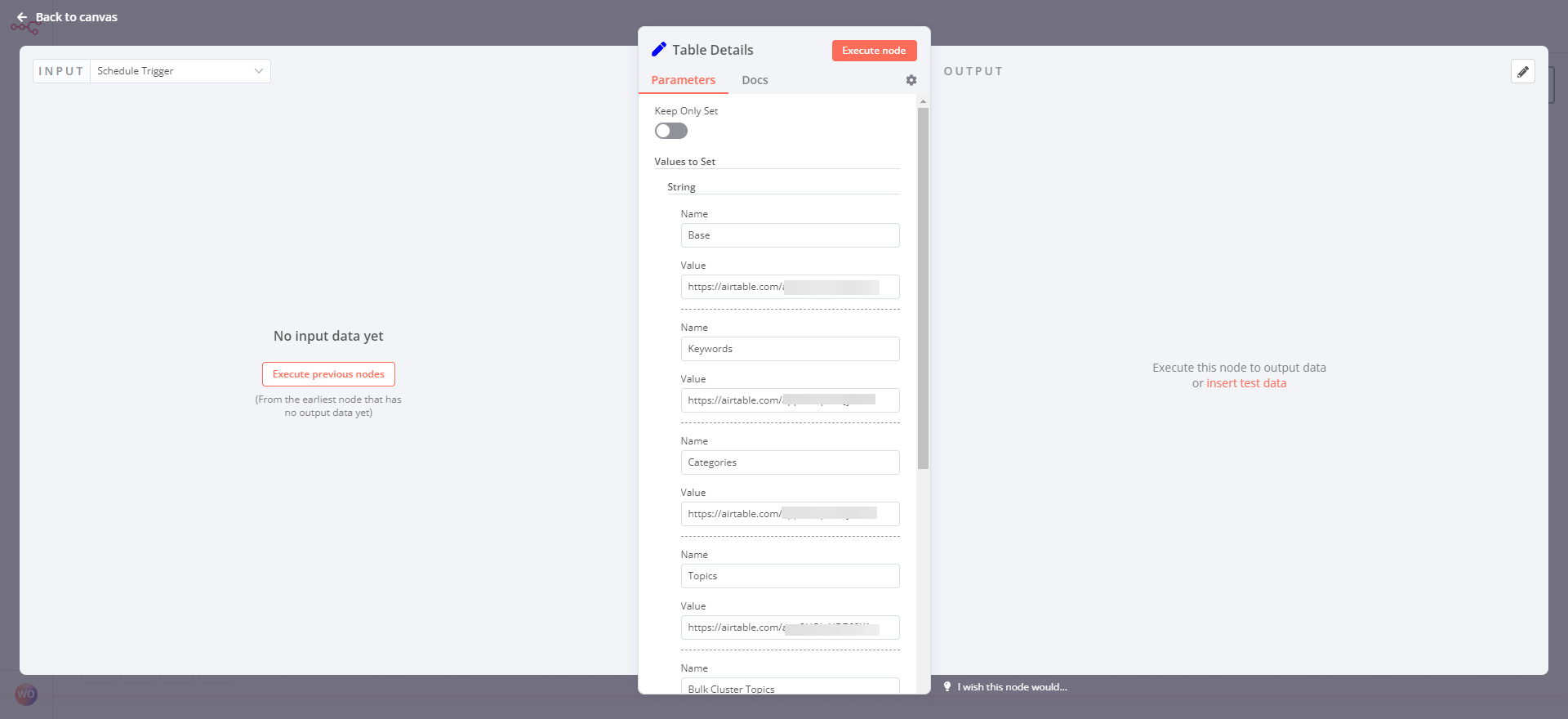
The objective of this SOP is to guide you through the process of editing the Set Node in n8n called “Table Details” and adding URLs for the Airtable base and all of its tables. This will help you to seamlessly integrate your Airtable base with other nodes in your n8n workflows.
Prerequisites
Before proceeding with this SOP, make sure you have the following:
- Access to your n8n account and workflows
- Access to your Airtable account and base
- Basic understanding of n8n workflows and nodes
Steps
- Open your n8n workflow and locate the Set Node called “Table Details”.
- Click on the node to open the configuration window.
- Scroll down to the “Parameters” section and locate the “Value” field for the “url” parameter.
- Click on the “Value” field to edit it.
- Enter the URL for your Airtable base in the following format:
https://airtable.com/YOUR_BASE_ID.
- Replace
YOUR_BASE_IDwith the actual ID of your Airtable base, which can be found in the URL of your base when you are logged in. - For example, if the URL of your Airtable base is
https://airtable.com/appXXXXXXXXXXXXX/your_base_name, then the ID of your base isappXXXXXXXXXXXXX.
- Scroll down to the “Fields” section and locate the “Table Name” field.
- Click on the “Table Name” field to edit it.
- Enter the name of the table for which you want to add the URL.
- Repeat steps 6-8 for all of the tables in your Airtable base that you want to add URLs for, using the table names listed below:
- Keywords
- Keyword Planner
- Keyword Cluster Topics
- Categories
- Topics
- Bulk Cluster Topics
- Keyword Generator
- Category Generator
- Once you have entered all of the URLs for your Airtable base and tables, click the “Execute Node” button to save your changes.
Conclusion
Congratulations! You have successfully edited the Set Node in n8n called “Table Details” and added URLs for your Airtable base and all of its tables. You can now use these URLs in other nodes of your n8n workflows to seamlessly integrate your Airtable base with your other applications.