 You need a Google Cloud Platform project for these steps. Go to the Google Cloud Console | APIs and services and make sure you’re in the project you want to use.
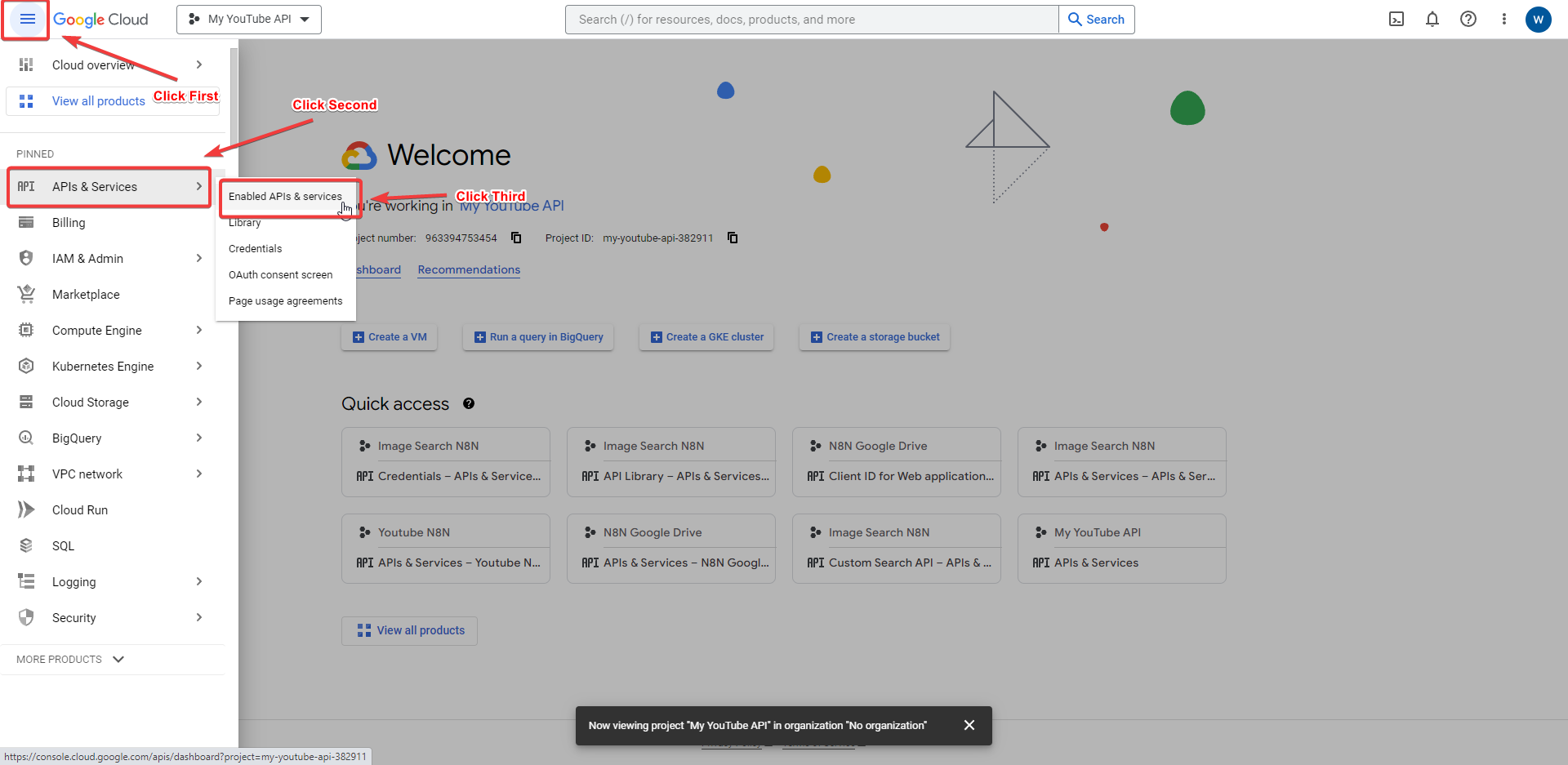
 Optional: If you haven’t used OAuth in your Google Cloud project before, you need to configure the OAuth consent screen. Expand the detailed steps below for more guidance: a. Select OAuth consent screen.
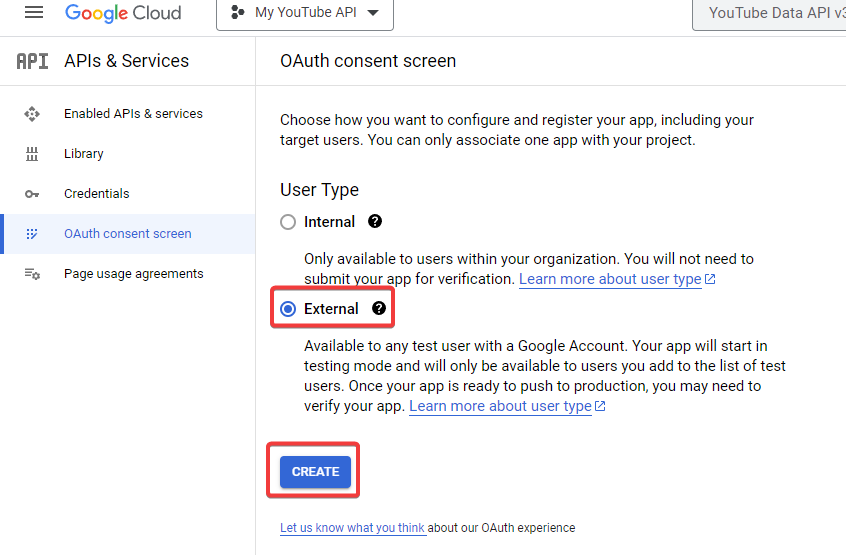
For User Type, select Internal. Then click Select Create.
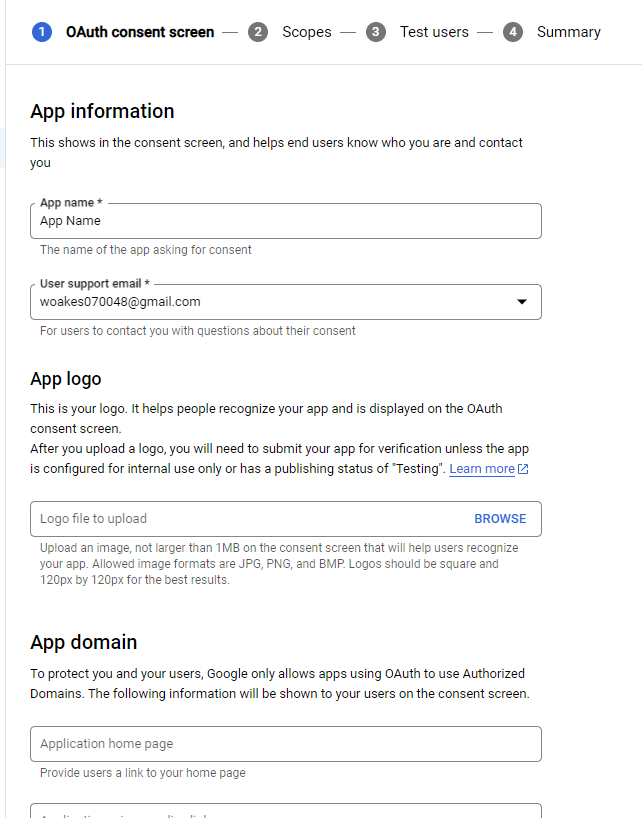
Enter the essential information: App name, User support email, and the Email addresses field in Developer contact information.
Add an authorized domain: select + ADD DOMAIN. Enter the domain of your n8n instance. An example would be automate.your_domaine_name.com.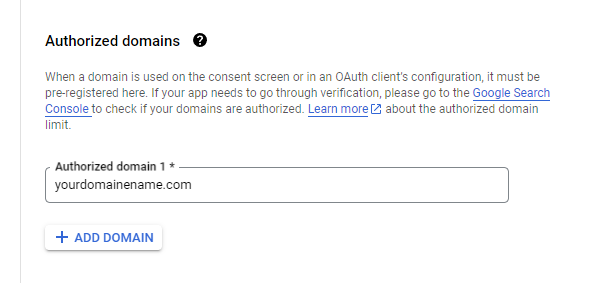
Select SAVE AND CONTINUE to go to the Scopes page. g. You don’t need to set any scopes. Select SAVE AND CONTINUE again to go to the Summary page.
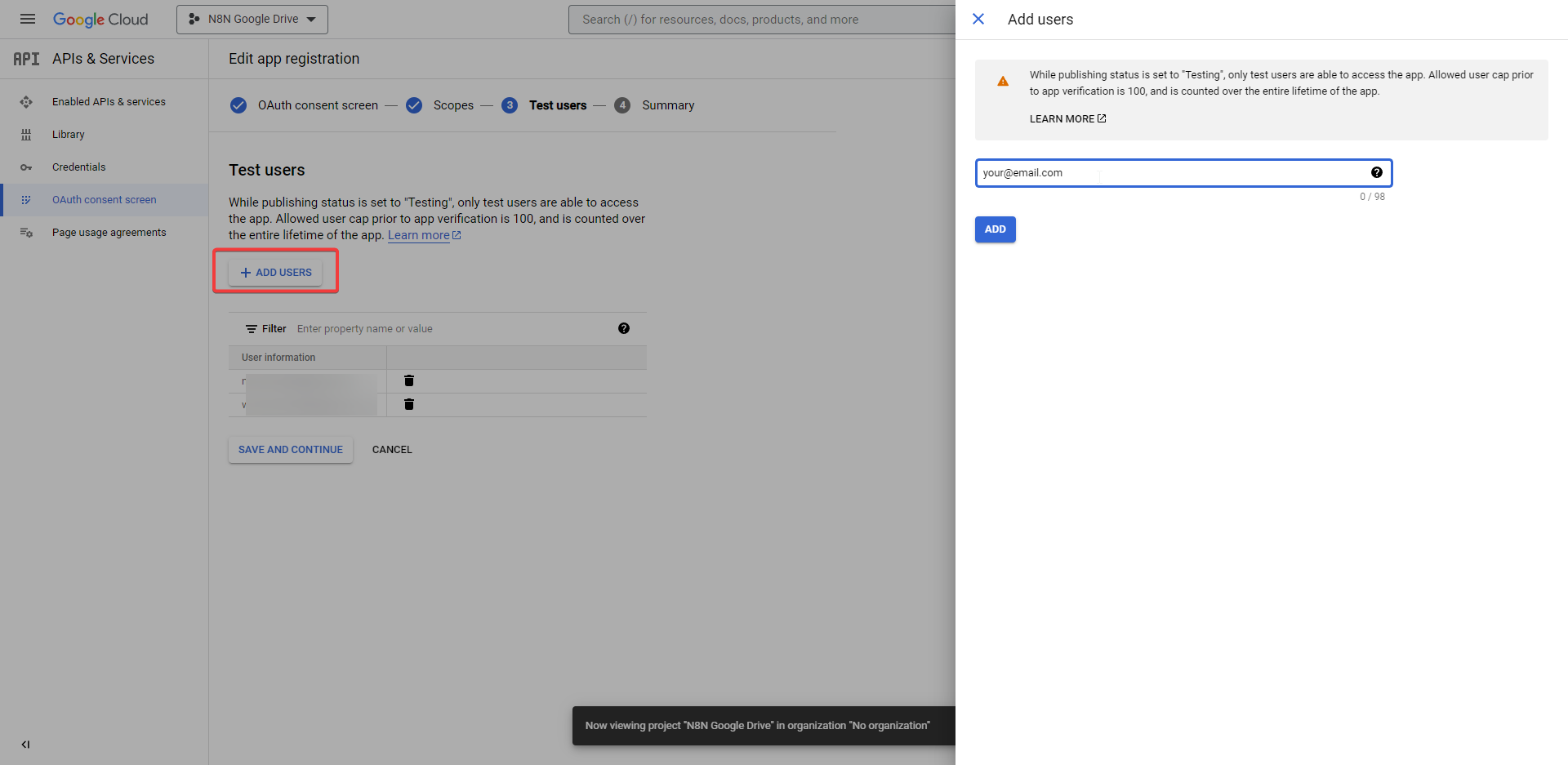
On the Summary page, review the information, then select BACK TO DASHBOARD.
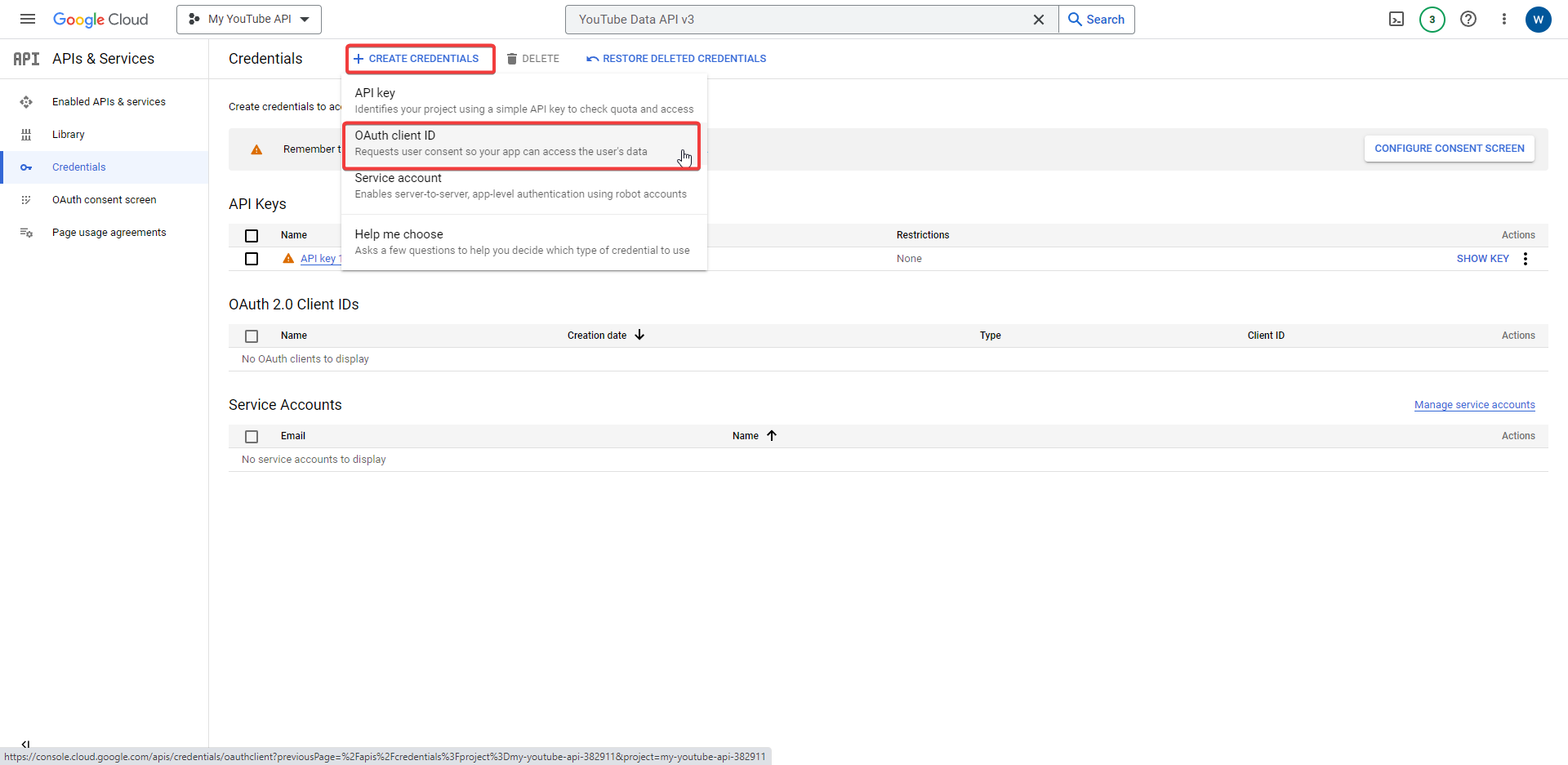
 Select + CREATE CREDENTIALS > OAuth client ID.
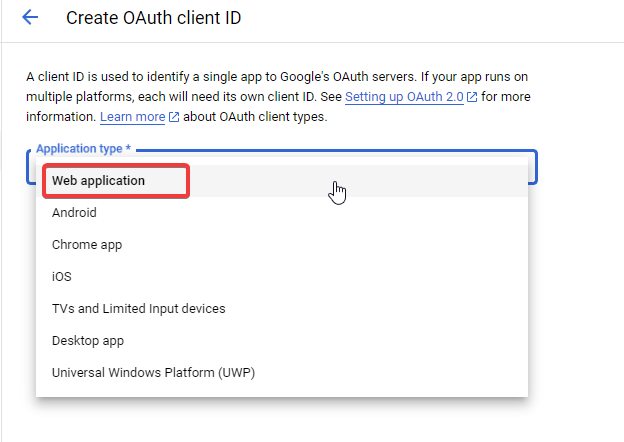
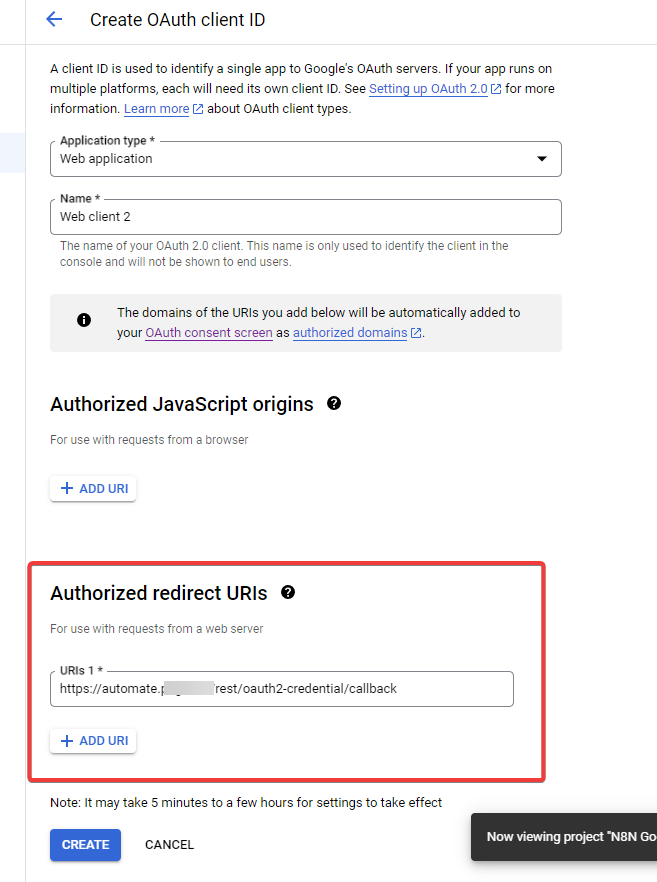
 In the Application type dropdown, select Web application. Google automatically generates a name.
 Under Authorizes redirect URIs, select + ADD URI. For the connect URI you can find that under N8N Credentials.
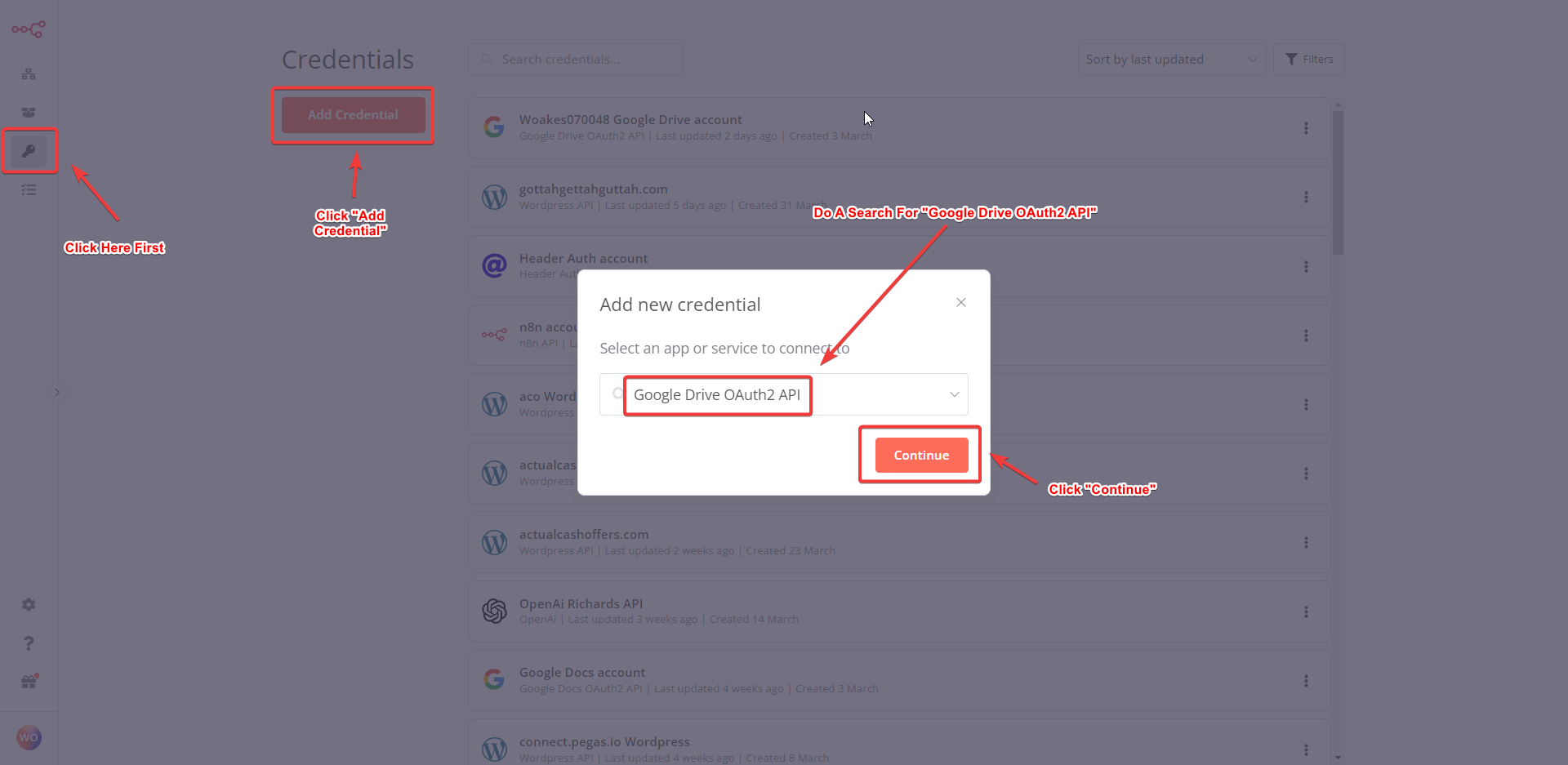
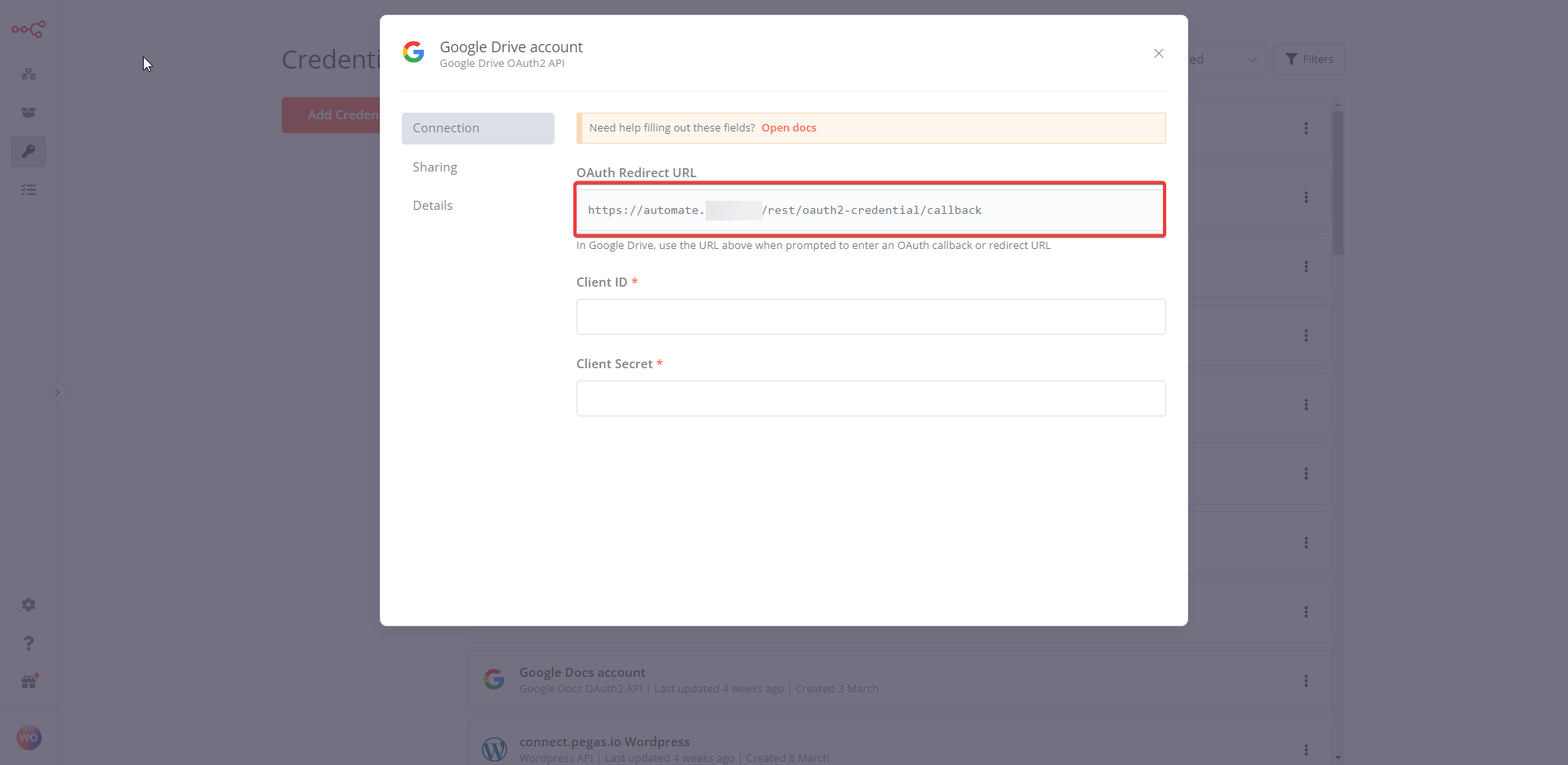
Now Go Back to Google Console Services, Enter the URI and clickSelect CREATE.
Enable each Google service API that you want to use:
a. If using Google Perspective or Google Ads: Request API Access for Perspective or a Developer Token for Ads.
b. Access your Google Cloud Console – Library. Make sure you’re in the correct project.
c. Search for and select the API(s) you want to enable. For example, for the Gmail node, search for and enable the Gmail API.

 In n8n: a. Enter your new Client ID and Client Secret from Google Cloud Console in the credentials modal.
b. Select Sign in with Google to complete your Google authentication. c. Save your new credentials.
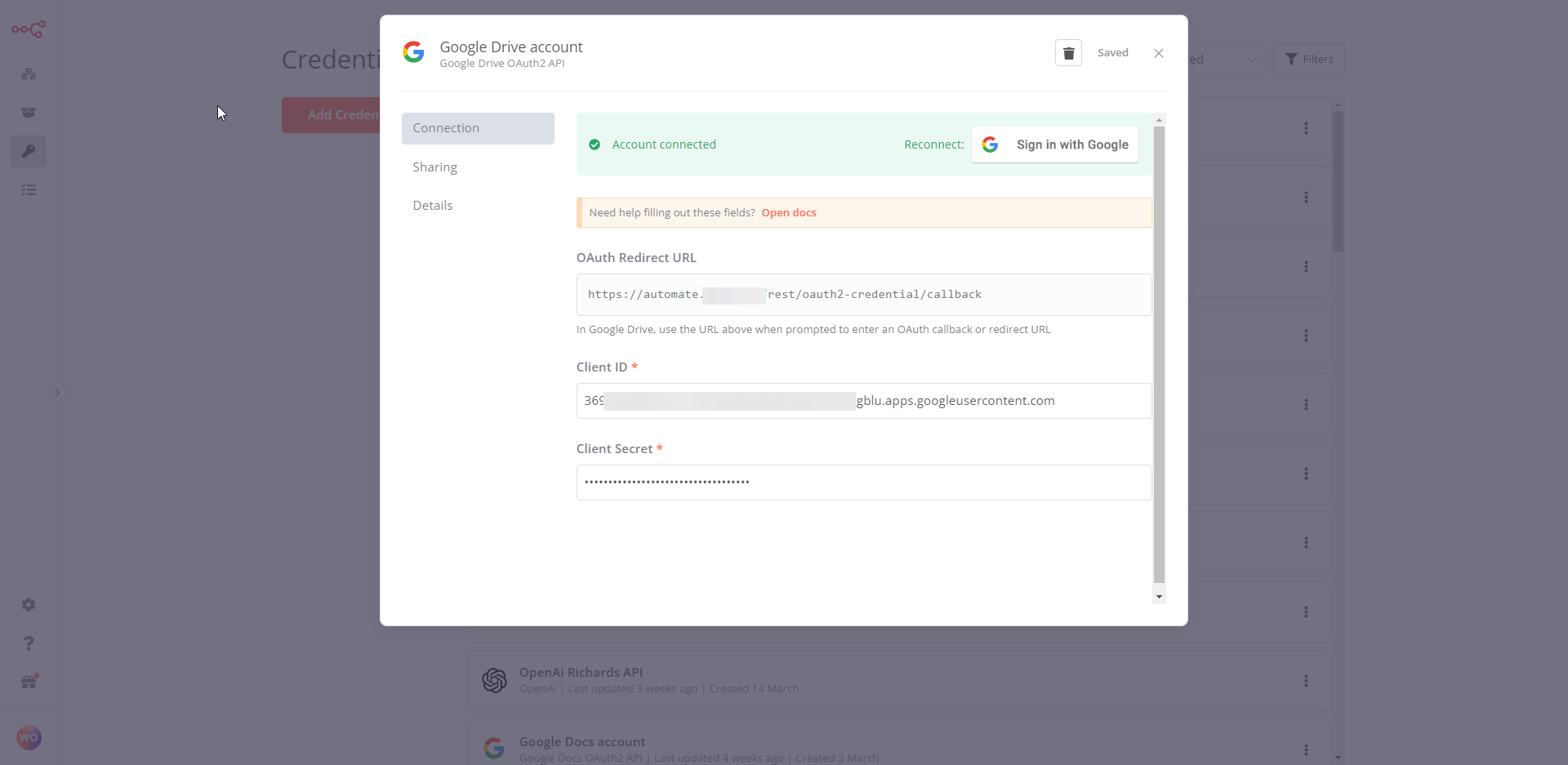
That’s it! With these steps, you should be able to set up OAuth2 for a single Google service and use it with n8n. If you need more information or support, you can refer to the Google Cloud documentation or the n8n documentation. If you would like to learn more, here are the N8N Docs.