Step-by-step SOP for getting the YouTube search API key and adding it to an HTTP request node in n8n with emojis. Here are the steps:
 Getting the YouTube Search API Key:
-
 Go to the Google Cloud Console at https://console.cloud.google.com/ and sign in to your Google account.
 -
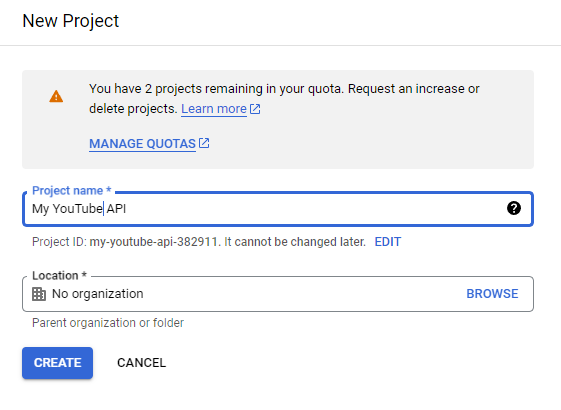
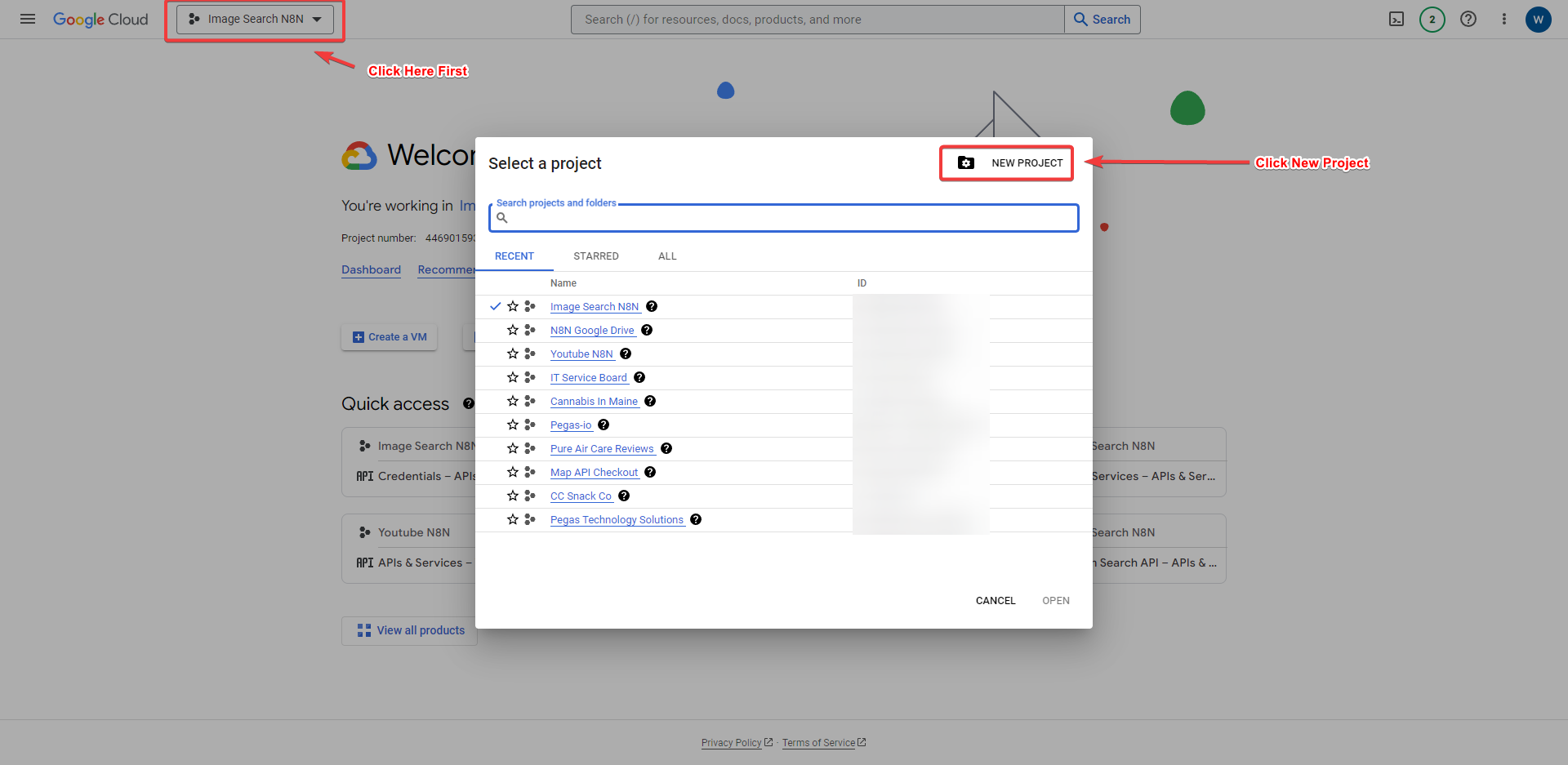
 Select your project or create a new one by clicking on the “Select a Project” dropdown menu in the top navigation bar.
 -
-
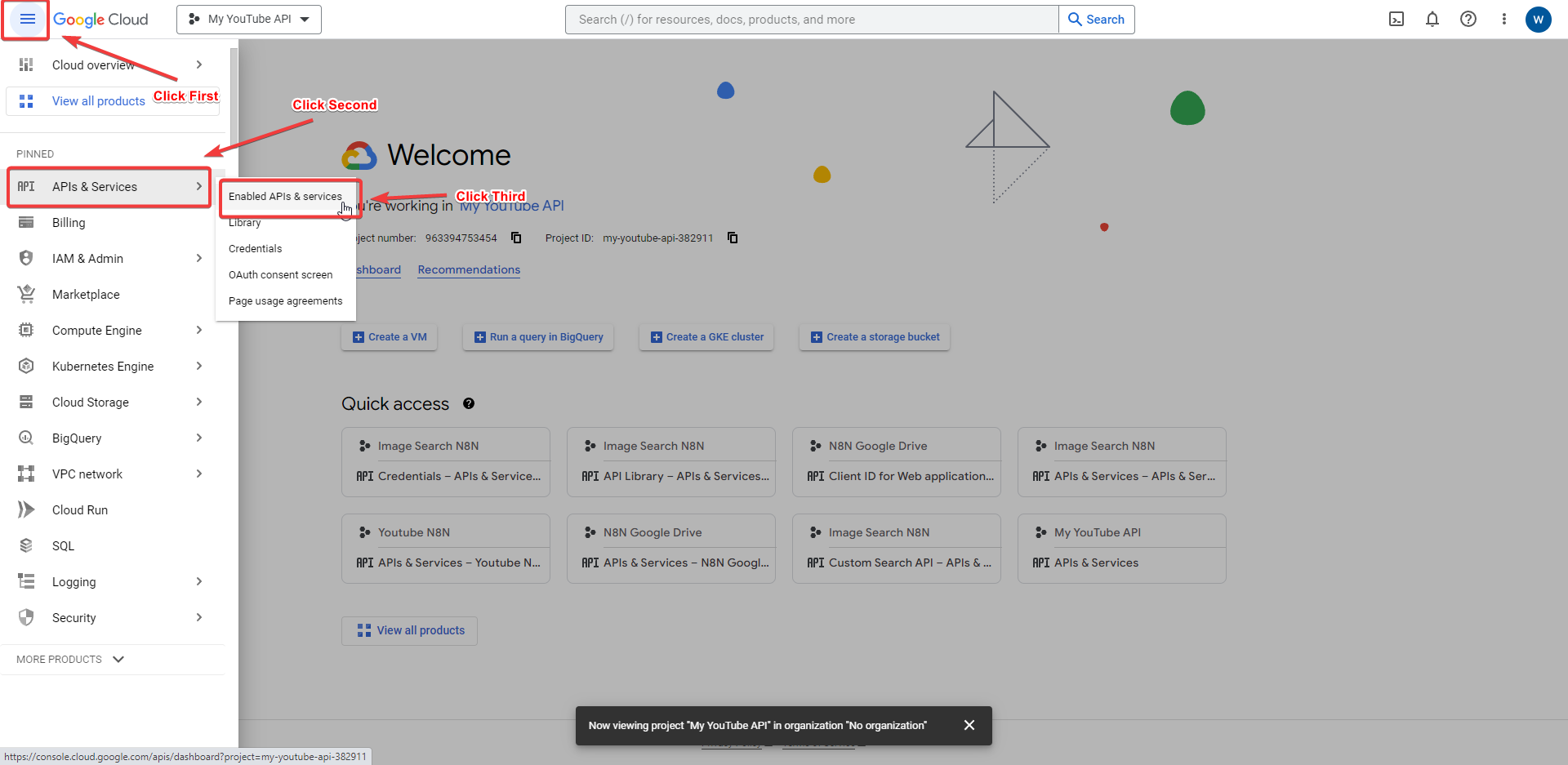
 Navigate to the APIs & Services Dashboard by clicking on the hamburger menu in the top-left corner and selecting “APIs & Services” > “Dashboard”.
 -
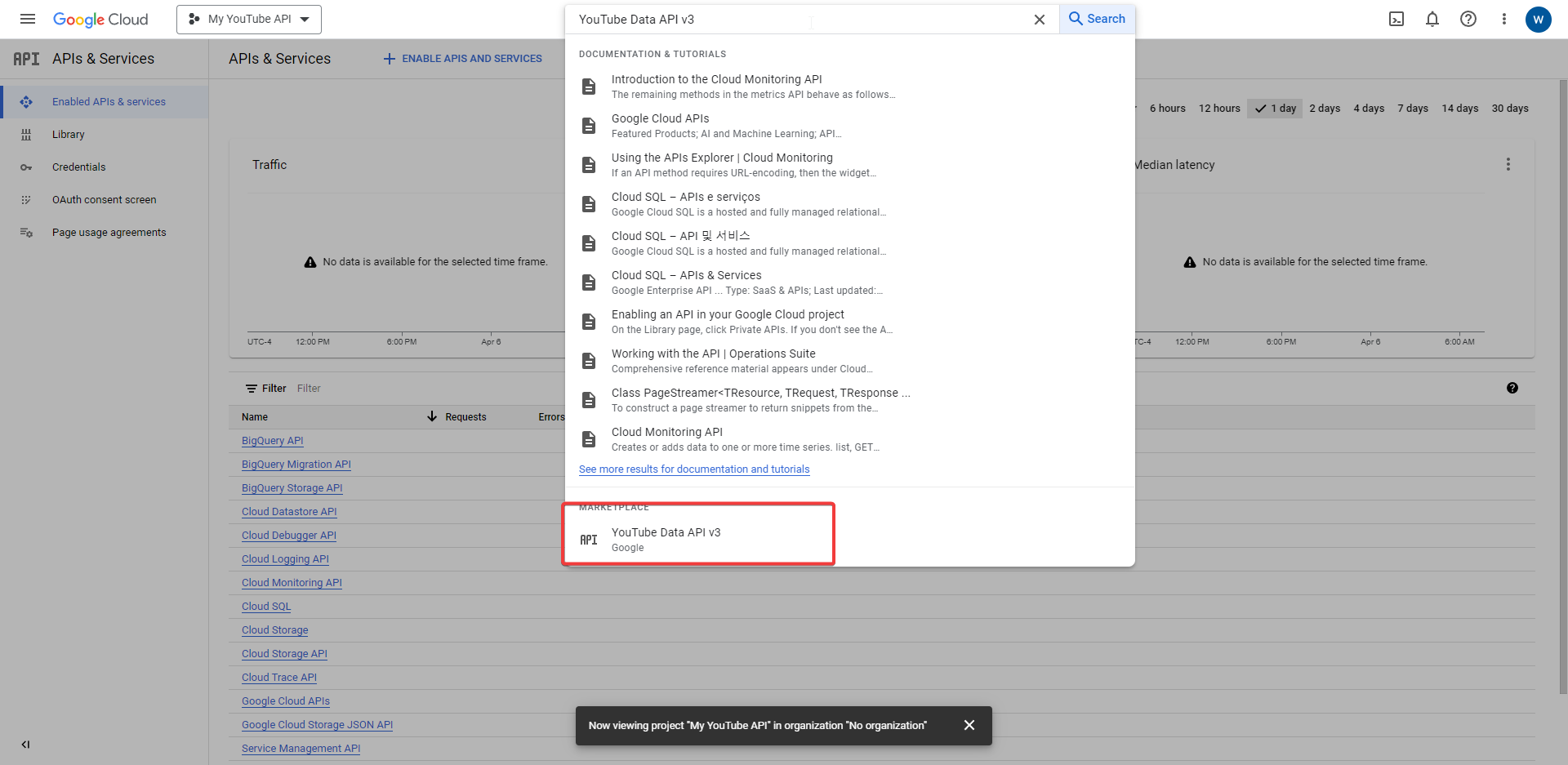
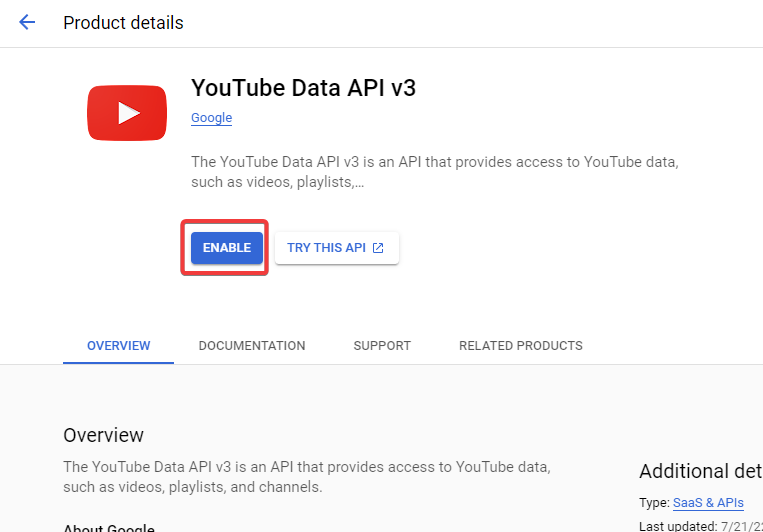
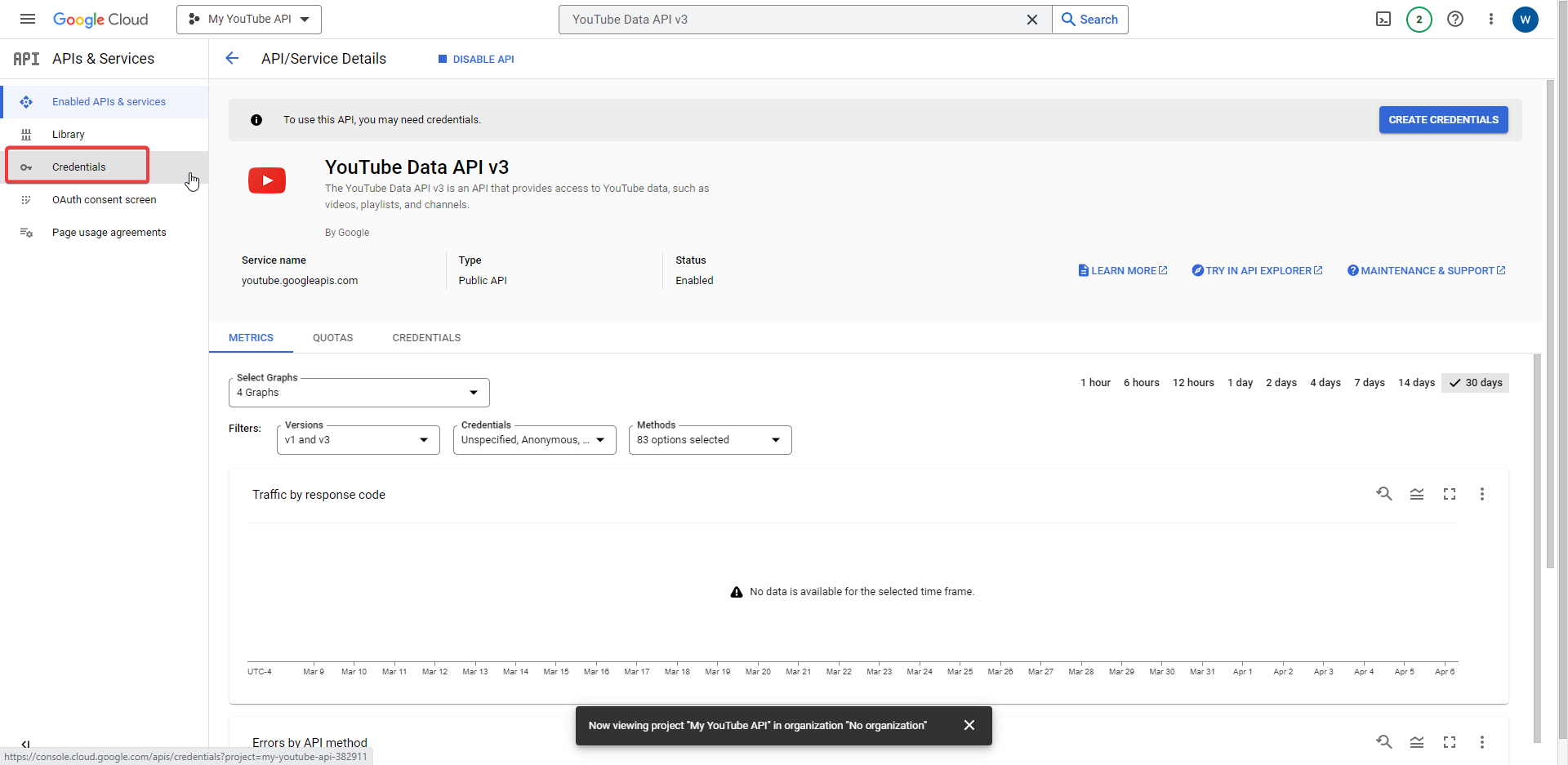
 Search for and select “YouTube Data API v3” from the list of available APIs.
 -
 Click on the “Enable” button to enable the API for your project.
 -
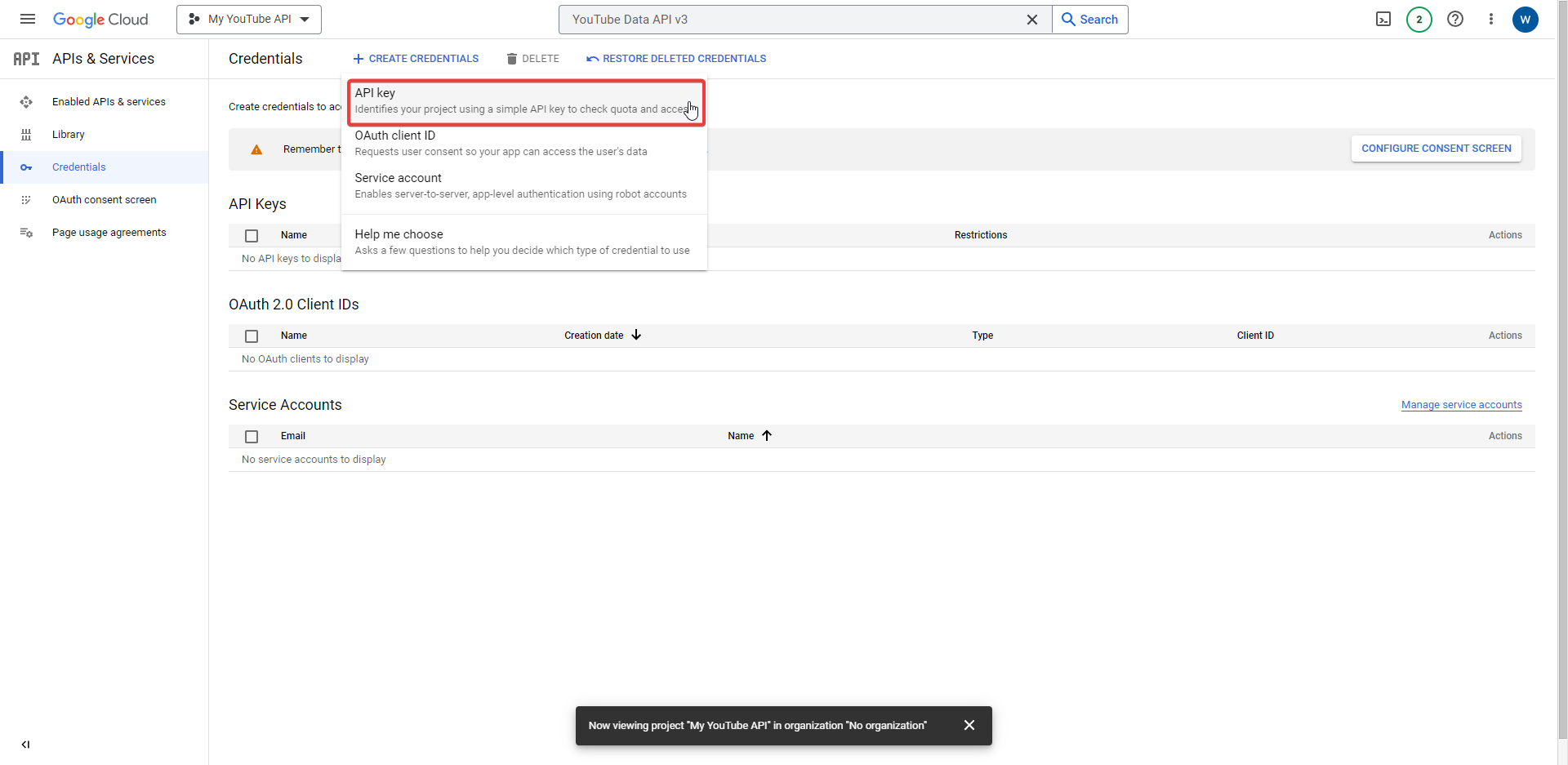
Click on the “Create Credentials” button and select “API key”.
-
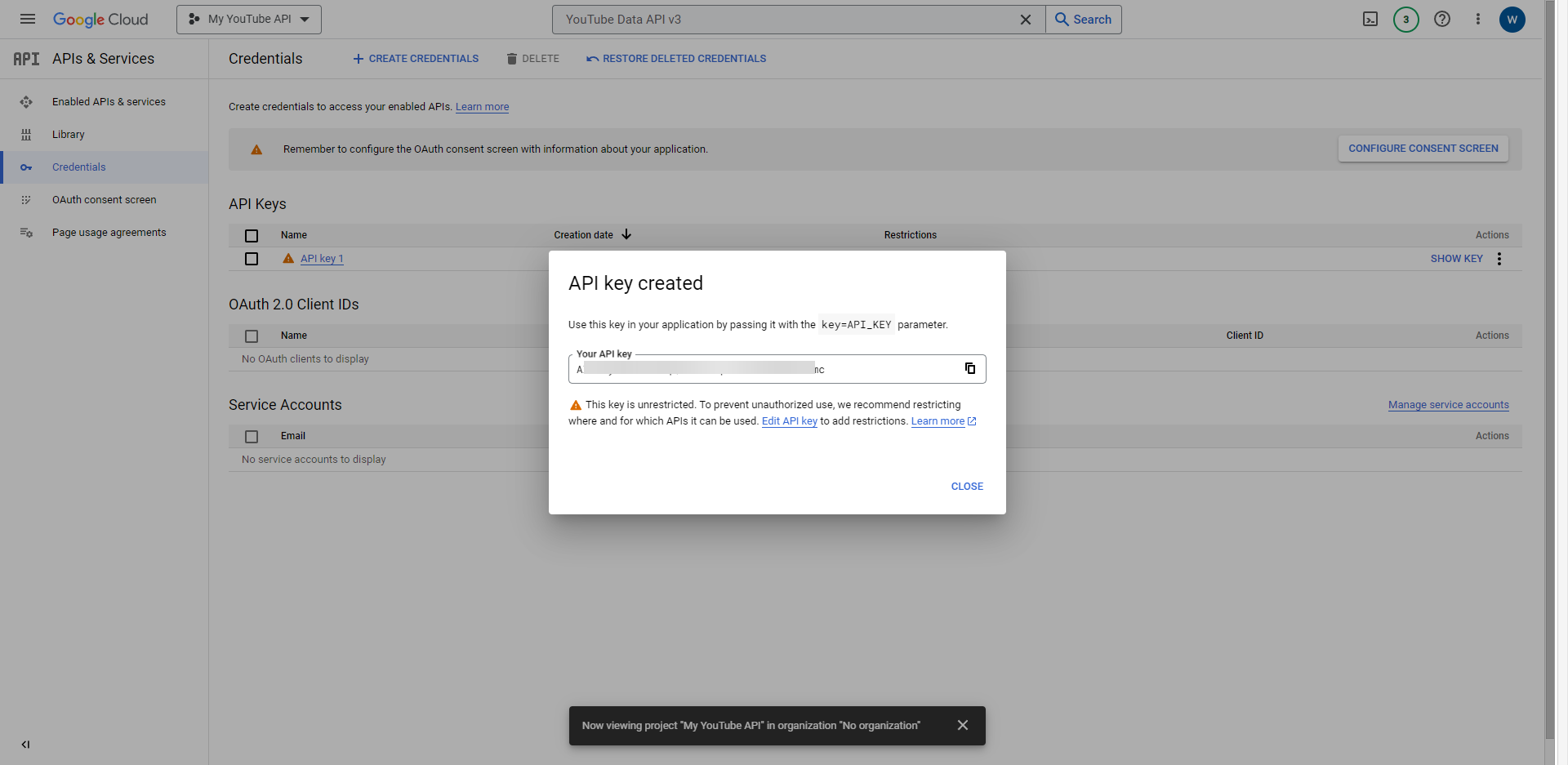
 Copy the generated API key to use later in the n8n workflow.
 Adding the YouTube API to an HTTP Request Node in n8n:
- Open n8n in your browser and create a new workflow.
 Drag and drop an HTTP Request node onto the canvas and connect it to the start node.
 Configure the HTTP Request node by setting the following properties:
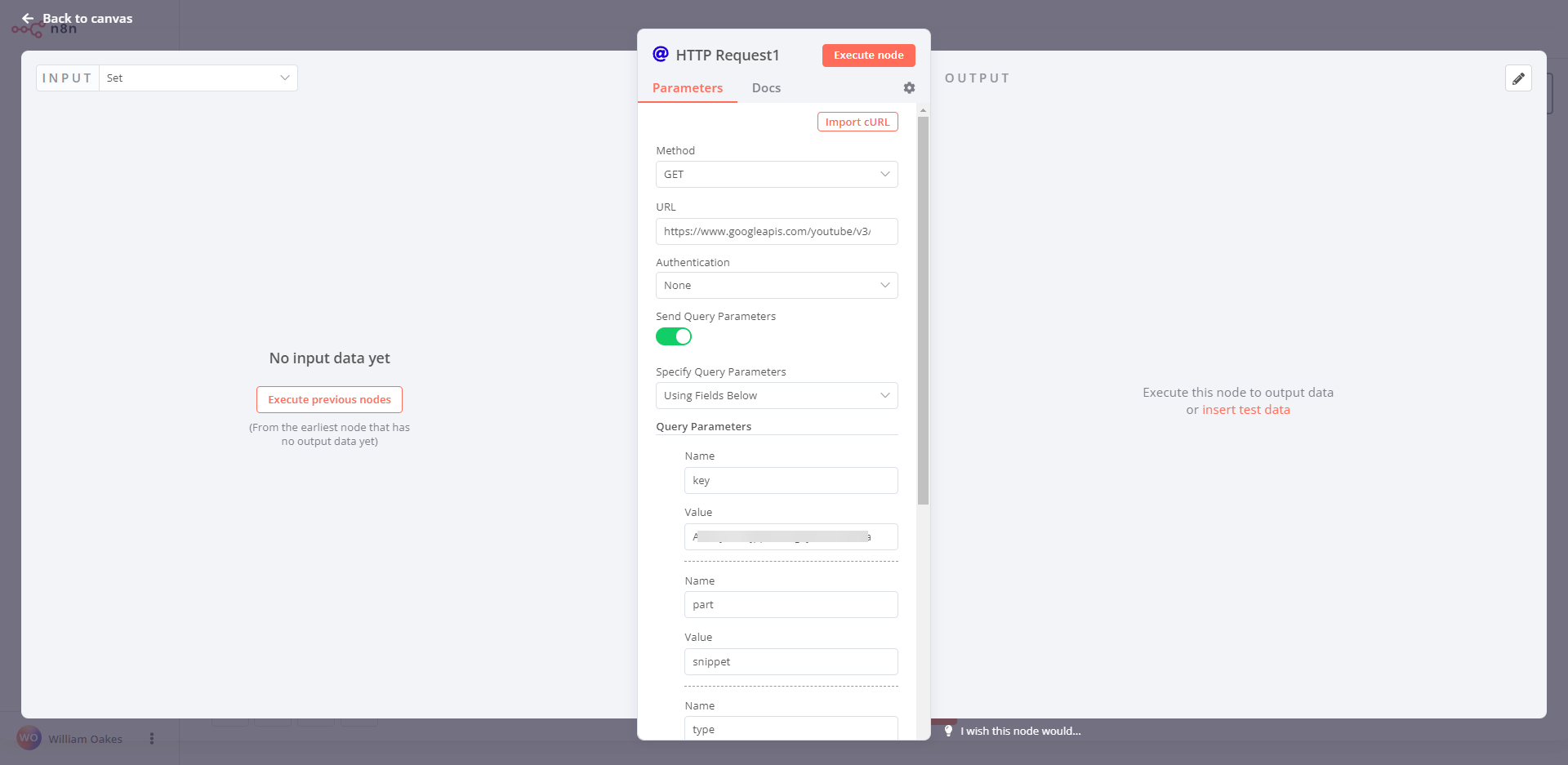
- URL: Set the URL to the YouTube Data API v3 search endpoint: https://www.googleapis.com/youtube/v3/search.
- Method: Set the method to GET.
- Query Parameters: Add the following query parameters to the node:
- part: Set the value to snippet.
- q: Set the value to the search query for the video you want to find.
- type: Set the value to video.
- key: Set the value to your YouTube API key obtained in step 7 of the first section.
 Save the HTTP Request node and execute the workflow to test that it returns the expected data.
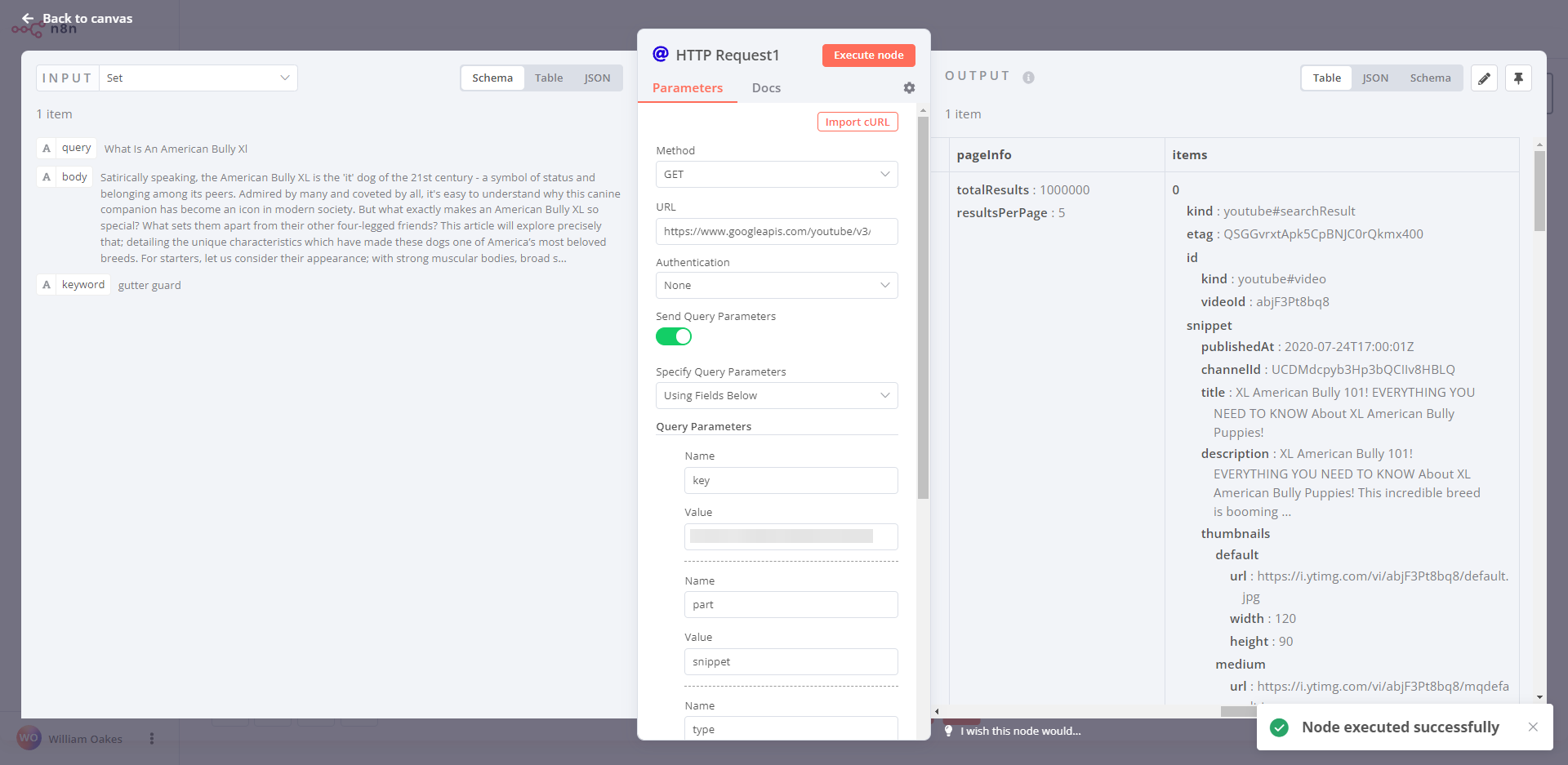
 That’s it! You’ve now successfully obtained a YouTube search API key and added it to an HTTP request node in n8n. With this, you can search for YouTube videos and use the data in your n8n workflows to perform various tasks. If you need more information, please refer to the following links:
- Google Cloud Console: https://console.cloud.google.com/
- YouTube Data API v3: https://developers.google.com/youtube/v3
- n8n documentation: https://docs.n8n.io/