 Create a Pexels developer account and register your application to get an API key. You can sign up at https://www.pexels.com/api/new/.
 Add an HTTP Request node to your n8n workflow.

 Configure the HTTP Request node by entering the Pexels API endpoint URL in the “URL” field: https://api.pexels.com/v1/search.
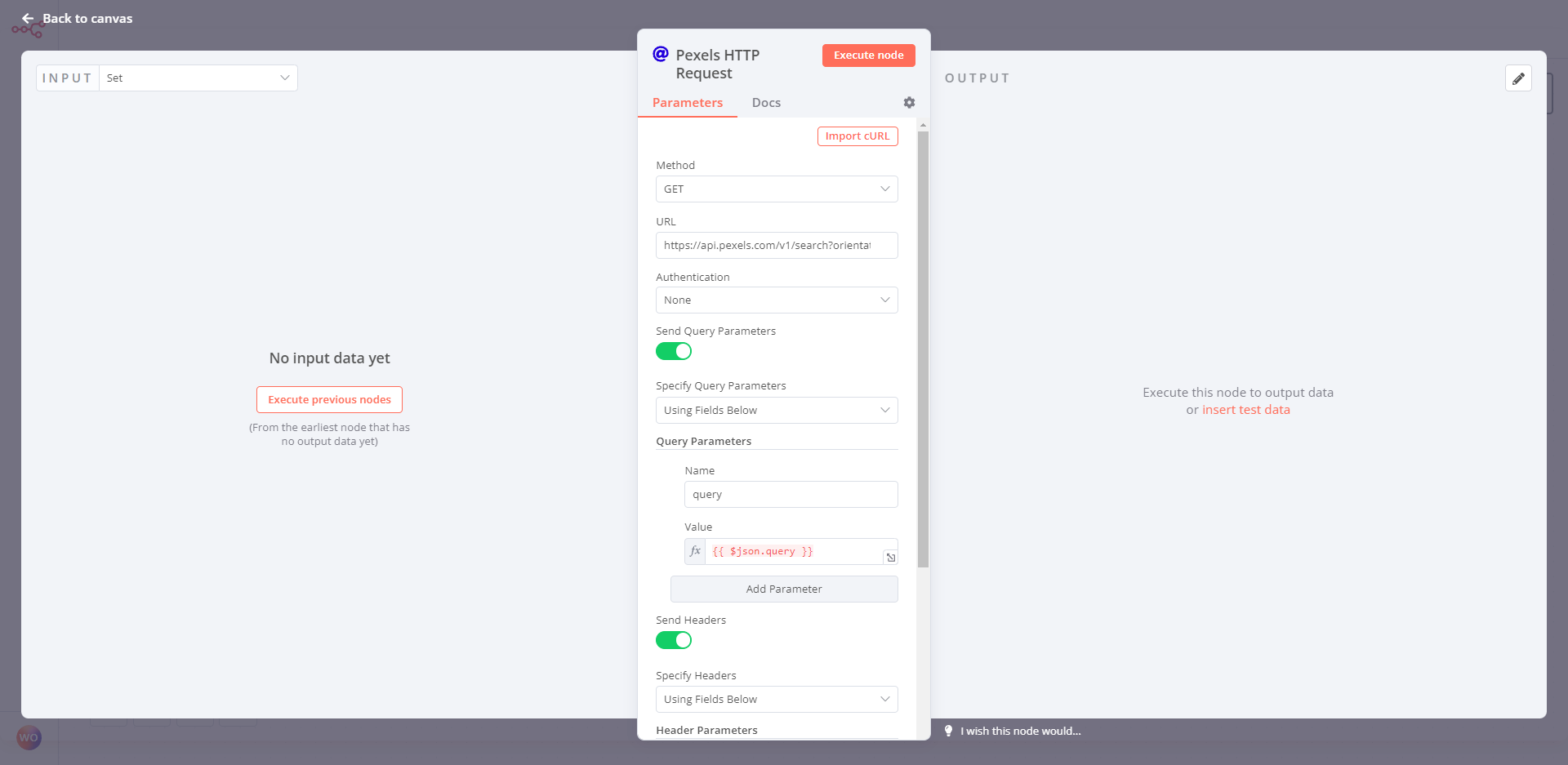
 In the “Headers” section, add the following parameter:
 Authorization: Your Pexels API key
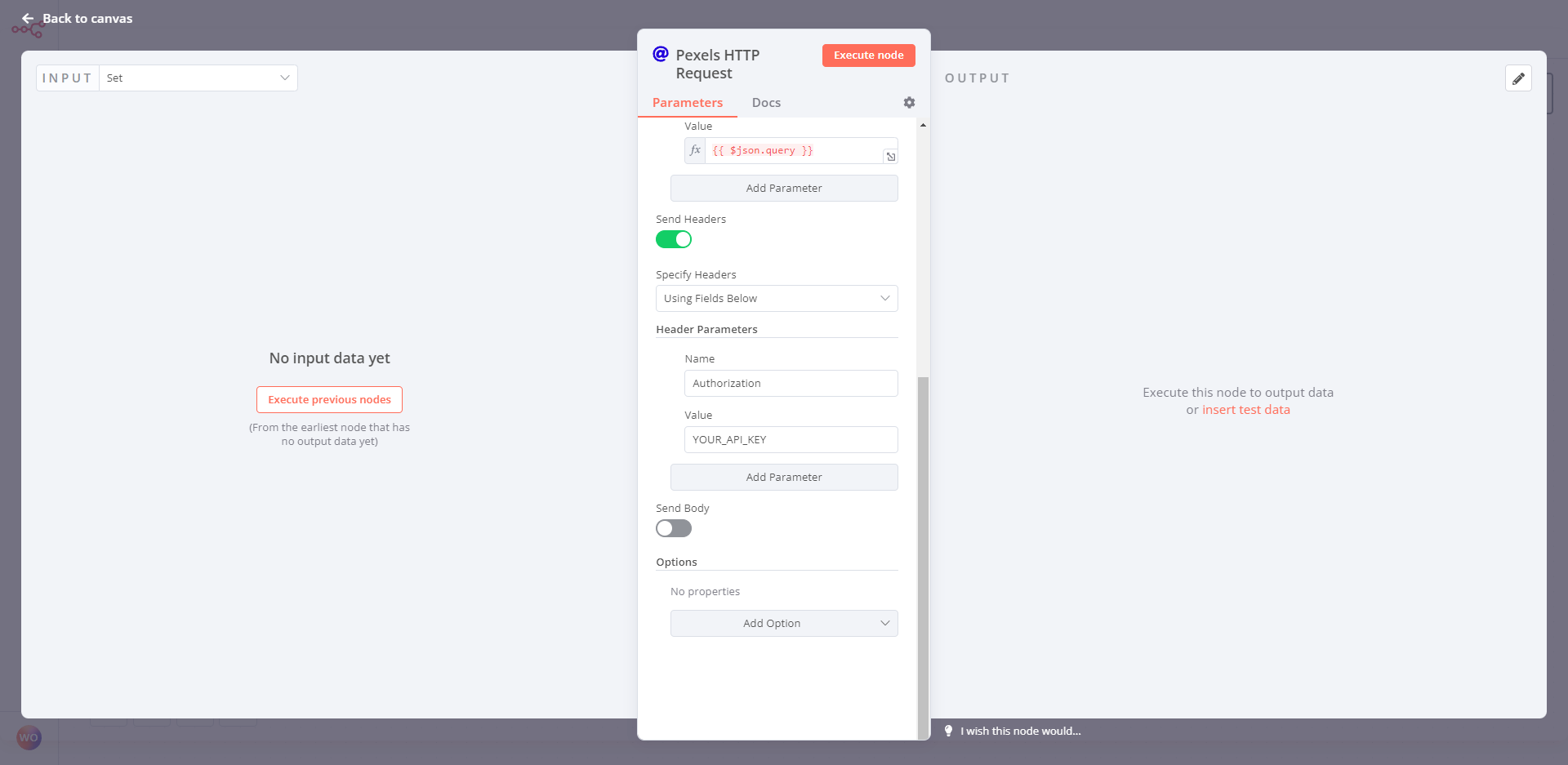
For example, you might set the following parameter:
Authorization: your_api_key
In the “Query Parameters” section, add the following parameters:
 query: The search term for the photos you want to find
 per_page: The number of results you want to return per page
 page: The page number of the results you want to retrieve
For example, you might set the following parameters:
query: nature
per_page: 10
page: 1
 In the “Response Format” section, choose “JSON” as the response type.
 Click “Execute Node” to run the node and retrieve the photos from the Pexels API.
That’s it!  You can use the data returned by the Pexels API to display the photos in your application or perform other actions with them. Don’t forget to follow the Pexels API guidelines and attribution requirements for displaying photos in your application.